
Overview
After publishing, you control exactly who can view the published URL. There are three access levels, and you can switch between them at any time.This page is about who can view the published URL. To add people who can edit in the editor, see Multiplayer & Collaboration.
Access levels
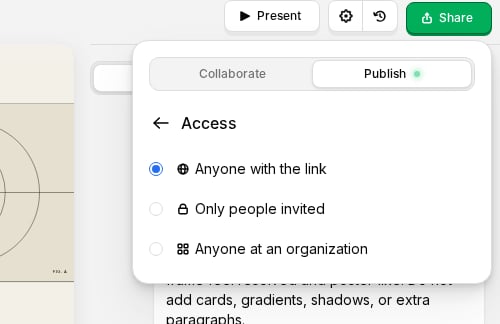
Anyone with the link
The default setting. Anyone who has the URL can view your project without requiring a login.Only invited people
Restrict access to specific people by email. Invitees must authenticate with their email to view the project. To invite someone:- Click Share → Publish → Settings
- Open Access
- Select Only invited people
- Enter their email address
- They receive an invitation email with a link
Anyone at your organization
Allow access based on email domain. For example, if you setyourcompany.com, anyone with a company email can view the project after signing in.
This is ideal for internal presentations, company updates, or team documentation.
Changing access
- Click Share in the editor top bar
- Open the Publish tab
- Click Settings
- Open Access and choose the access level you want