> ## Documentation Index
> Fetch the complete documentation index at: https://faces.app/docs/llms.txt
> Use this file to discover all available pages before exploring further.
# Using Controls
> Fine-tune animations, sizes, colors, and other visual settings with slide controls.
## Overview
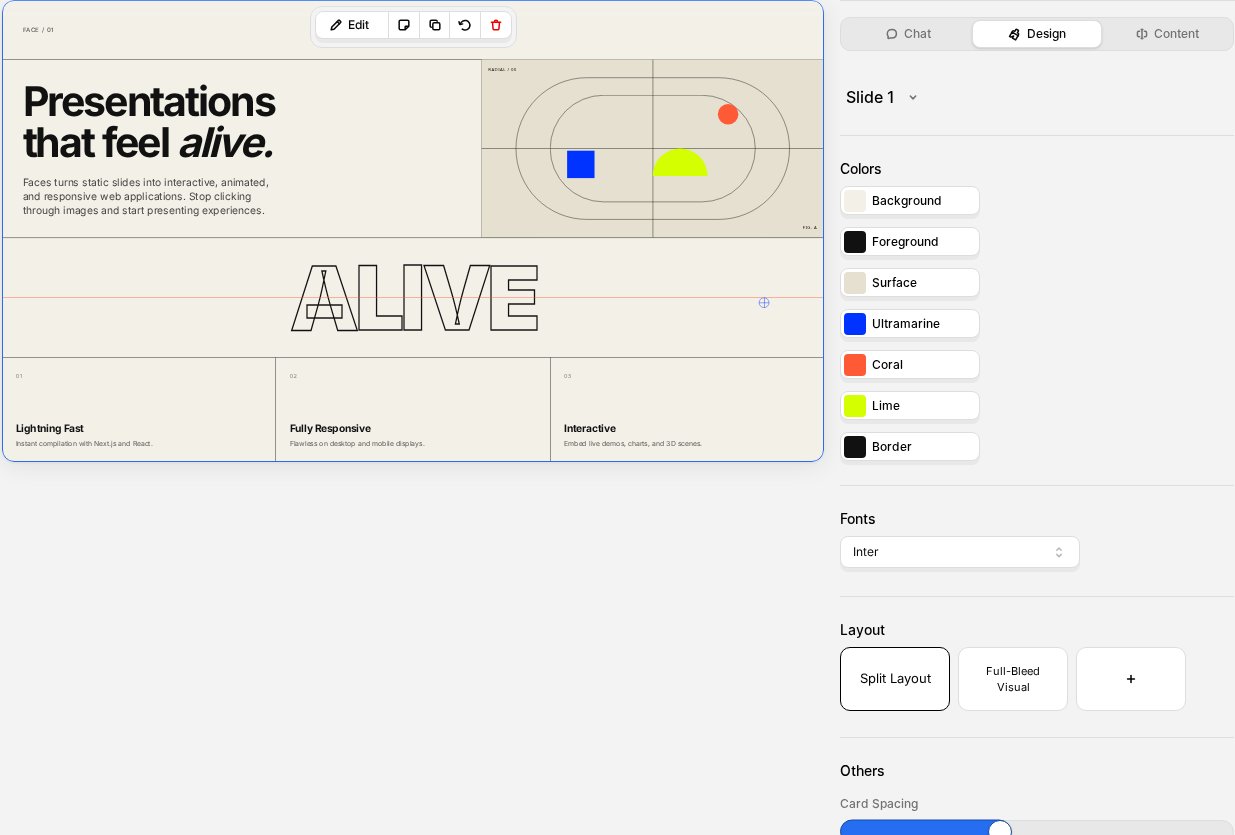
Controls let you adjust the visual behavior of each slide: animation speed, element sizes, colors, and toggle effects. Select a slide and open the **Design** tab in the right sidebar; your controls appear there under the **Others** section.
Controls are fully generative. The AI creates them based on your slide's design, and you can ask for new controls through the chat. Want a slider for spacing between cards, a toggle to show captions, or a selector for animation direction? Just ask and the AI will add it.
Adjusting controls does **not** consume credits.
 ## Control types
### Sliders
Numeric controls with a minimum, maximum, and step value. Use them to adjust things like:
* Animation duration or speed
* Element sizes and spacing
* Opacity or blur values
Drag the slider or type a precise number.
### Switches
Simple on/off toggles. Use them to enable or disable visual features like:
* Show or hide an element
* Enable or disable an animation
* Toggle a visual effect
### Selectors
Dropdown menus that let you pick from a set of options, such as:
* Animation style (fade, slide, zoom)
* Color theme variant
* Layout alignment
## How to use controls
1. Open your project in the editor
2. Select a slide from the left sidebar
3. Open the **Design** tab in the right sidebar; your controls appear under the **Others** section
4. Adjust any control; the preview updates in real time
5. Changes are saved automatically
## Control types
### Sliders
Numeric controls with a minimum, maximum, and step value. Use them to adjust things like:
* Animation duration or speed
* Element sizes and spacing
* Opacity or blur values
Drag the slider or type a precise number.
### Switches
Simple on/off toggles. Use them to enable or disable visual features like:
* Show or hide an element
* Enable or disable an animation
* Toggle a visual effect
### Selectors
Dropdown menus that let you pick from a set of options, such as:
* Animation style (fade, slide, zoom)
* Color theme variant
* Layout alignment
## How to use controls
1. Open your project in the editor
2. Select a slide from the left sidebar
3. Open the **Design** tab in the right sidebar; your controls appear under the **Others** section
4. Adjust any control; the preview updates in real time
5. Changes are saved automatically